 Comparison
Need a Free Paragraph Counter Online?
Last Updated: November 7, 2026
Quick Summary
A free paragraph counter online gives you an exact paragraph total in seconds, without scrolling back through a document to count blank lines by hand. You can count words, characters and paragraphs in your text as you type, right in your browser. For most people, a browser-based paragraph counter with no sign-up is the fastest route from messy text to a reliable count.
- Most paragraph counters treat a paragraph as any block of text separated by a blank line or a hard paragraph break.
- Text copied from a PDF often arrives with hard line breaks at every visual line, inflating paragraph counts.
- Clean the text first by removing mid-sentence hard breaks and blank lines, then run the paragraph count.
- MLA and APA allow paragraph numbers in place of page numbers when a source has no fixed pages.
- Count only body paragraphs, not headings, captions, or reference lists, when citing by paragraph number.
Table of Contents
- Why a Free Paragraph Counter Online Beats Manual Counting
- How Paragraph Counting Works: Blank Lines, Breaks, and Edge Cases
- Five Paragraph Counters Compared: Speed, Metrics, and Privacy
- Free Online Word Counter: Pairing Paragraph Counts With Word and Character Stats
- PDF Paragraph Counter: Handling Copied, Scanned, and Messy Documents
- How to Count Paragraphs on a Website Without Copying the Whole Page
- Paragraph Counter for Citation: Locating and Citing Paragraph Numbers
- Pick a Tool and Count Your Paragraphs Now
- Frequently Asked Questions
Why a Free Paragraph Counter Online Beats Manual Counting
A free paragraph counter online gives you an exact paragraph total in seconds, without scrolling back through a document to count blank lines by hand. You can count words, characters and paragraphs in your text as you type, right in your browser.
Editors checking manuscript formatting, students verifying assignment structure, and developers cleaning pasted text all need the same thing: a number they can trust, produced instantly.
Below, we break down how counting actually works, compare five tools, and show you which one fits each job. Here is the short version: for most people, a browser-based paragraph counter with no sign-up is the fastest route from messy text to a reliable count.
How Paragraph Counting Works: Blank Lines, Breaks, and Edge Cases
Most paragraph counters treat a paragraph as any block of text separated by a blank line or a hard paragraph break. That definition matters, because different sources of text mark those breaks differently. A document typed in Word uses paragraph marks. Text copied from a PDF often uses manual line breaks instead. A web page may use either.
The edge cases trip people up:
- Single line breaks are sometimes counted as new paragraphs and sometimes ignored, depending on the tool.
- Multiple blank lines in a row may count as one paragraph break or several.
- Trailing whitespace at the end of a document can add a phantom paragraph.
- Soft-wrapped lines in a narrow text box are not paragraphs, even though they look like separate lines on screen.
If your count looks wrong, the cause is almost always stray blank lines. Strip them first. Our whitespace remover deletes extra spaces and blank lines so the count reflects real paragraphs, and our sentence counter lets you cross-check structure by counting sentences, words, and paragraphs at once.
Five Paragraph Counters Compared: Speed, Metrics, and Privacy
No single tool wins every category. The right pick depends on whether you need raw speed, extra statistics, structure analysis, or strict privacy. Most roundups simply list features; this comparison adds two things the top results skip: a consistent accuracy test across the same sample text, and a plain explanation of where your text actually goes when you paste it.
How we tested
We ran the same three samples through each tool and recorded the paragraph totals:
- Sample A, clean prose: five paragraphs separated by single blank lines, no trailing whitespace.
- Sample B, mixed formatting: two headings, a three-item bulleted list, and three body paragraphs, all pasted from a word processor.
- Sample C, PDF paste: one page of body text copied from a PDF, which arrives with hard line breaks at every visual line.
A tool that counts "what a human reader would call a paragraph" should return 5 for Sample A. Results diverge most on Samples B and C, because tools disagree on whether headings, list items, and hard line breaks count as paragraph boundaries. Treat any single number as tool-dependent until you know its rules.

TextUtility
Our own tool runs entirely in your browser, so pasted text never leaves your device, no account, no upload step, no server round trip. We focus on fast, clean counting and text cleanup, not deep linguistic analysis.
Best for: Anyone handling confidential or client text who wants an instant count with zero data leaving the machine. Skip if: You need paragraph length distribution charts built into the counter.
Grammarly Paragraph Counter
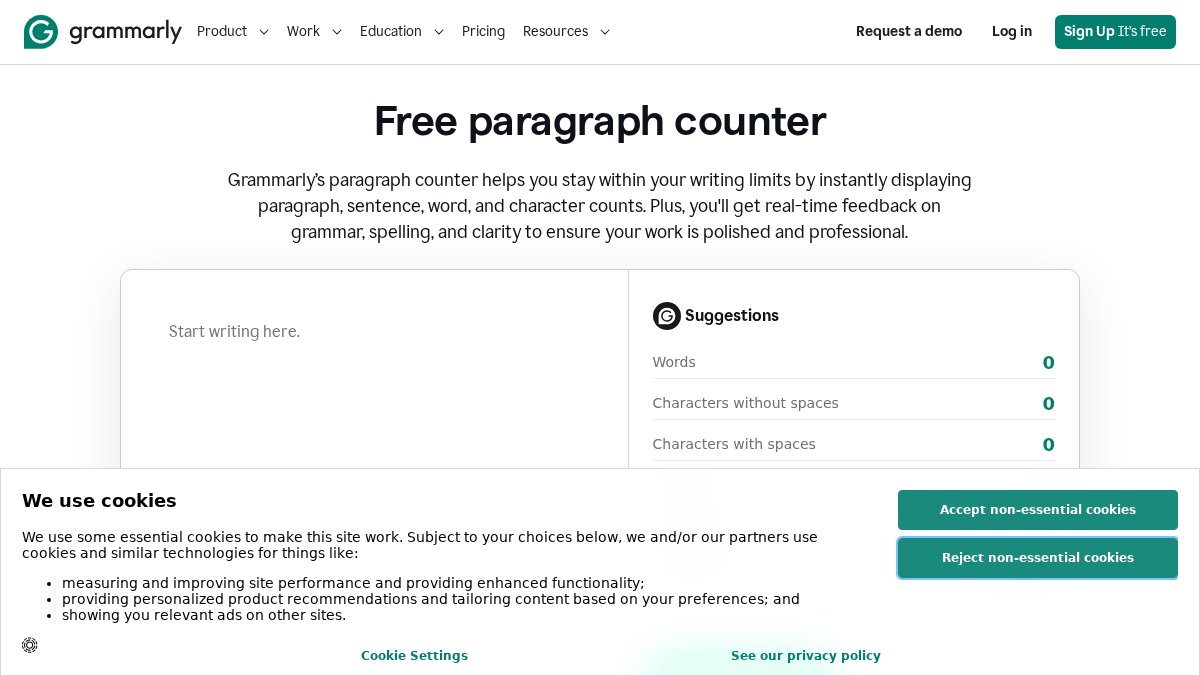
Grammarly's counter reports paragraphs, characters, and spaces alongside its grammar checking. For writers already using Grammarly, keeping counting and proofreading in one place saves a tab.
Best for: Writers who want paragraph counts and grammar checks in the same session.
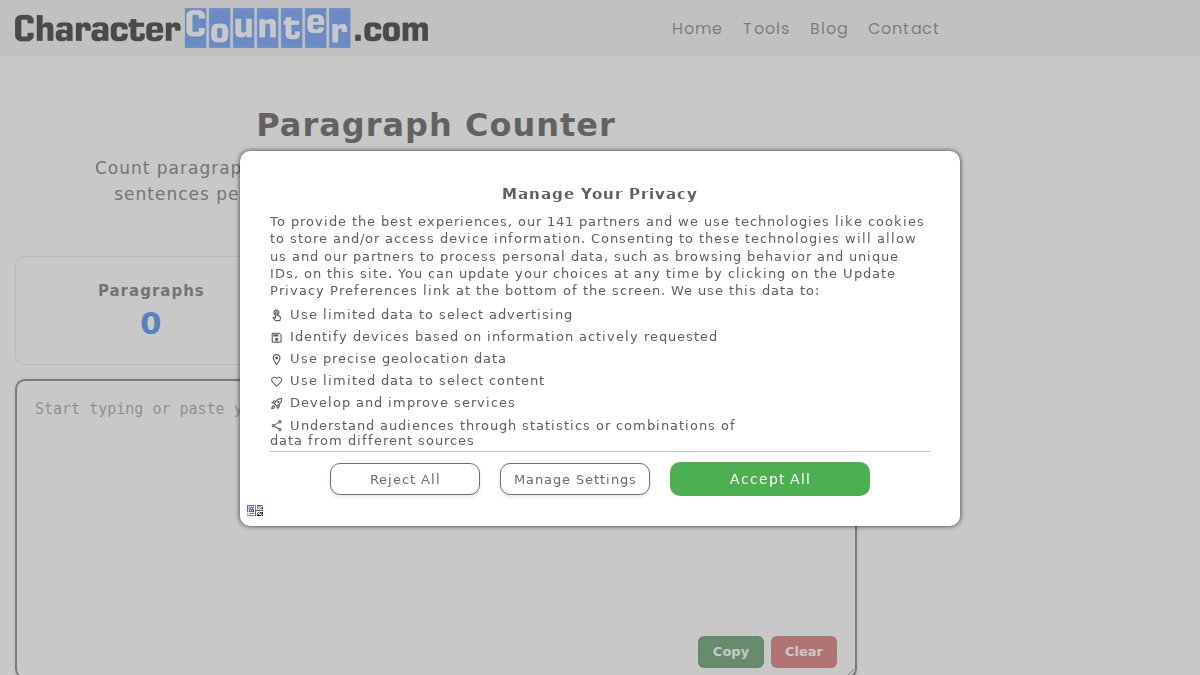
CharacterCounter.com Paragraph Counter
Best for: A quick, no-frills paragraph count with common text statistics attached.
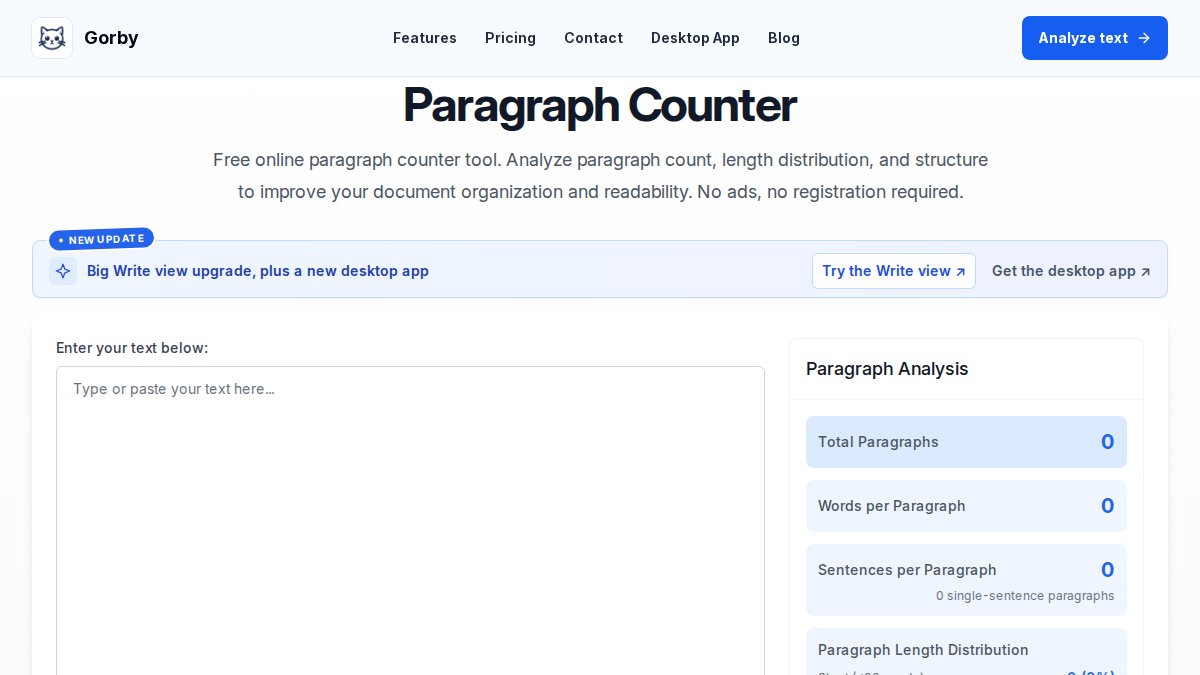
Gorby Text Analyzer
Best for: Writers reviewing paragraph rhythm and structure, not just a total.
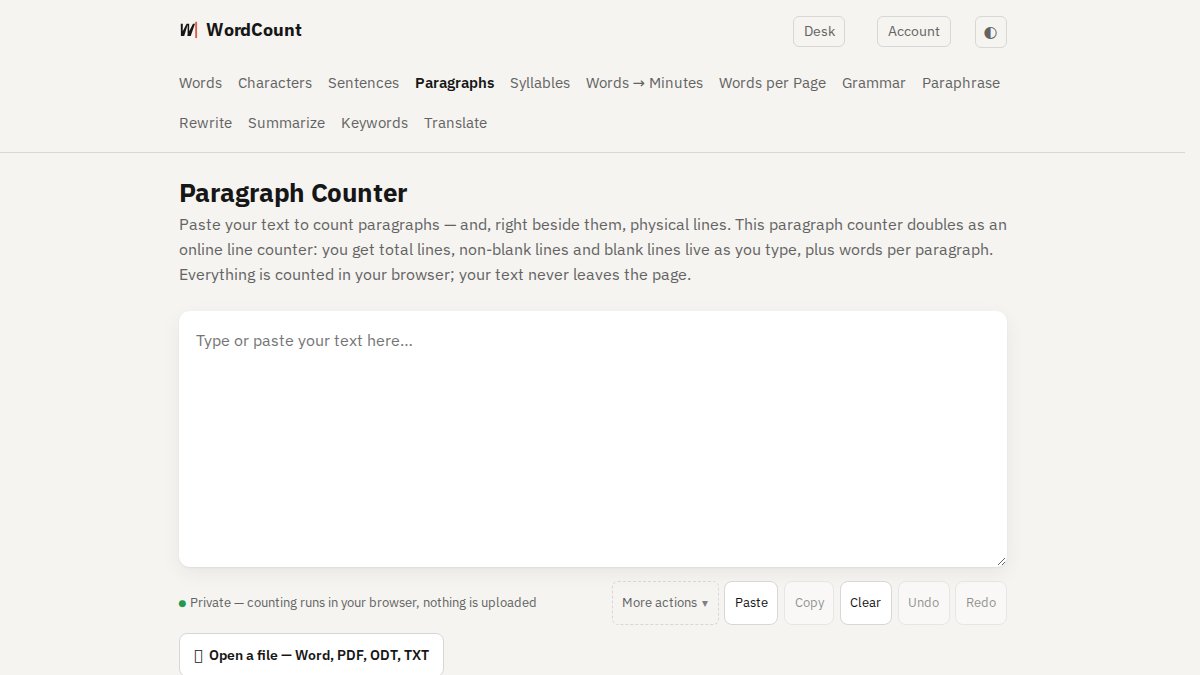
WordCount.com Paragraph Counter
Best for: Users who need paragraph counts plus line statistics and words per paragraph.
| Tool | Metrics Reported | Sign-Up Required | Where Text Is Processed | Standout Strength |
|---|---|---|---|---|
| TextUtility | Paragraphs, words, characters | No | In your browser | Local processing, no upload |
| Grammarly | Paragraphs, characters, spaces | No | Hosted service | Grammar checks alongside counts |
| CharacterCounter.com | Paragraphs, characters, spaces, words | No | Hosted service | Simple live updating |
| Gorby | Paragraphs, length distribution | No | Hosted service | Structure analysis |
| WordCount.com | Paragraphs, lines, words per paragraph | No | Hosted service | Line-level breakdown |
Privacy and accessibility notes
On accessibility, check three things before committing: whether the input box is reachable and usable by keyboard alone, whether counts are announced to screen readers rather than only displayed visually, and whether the layout stays usable on a phone. Most free counters pass the mobile test; keyboard and screen-reader support vary, so test with your own setup if accessibility is a requirement.
Free Online Word Counter: Pairing Paragraph Counts With Word and Character Stats
A paragraph total on its own rarely answers the question you actually have. Submission limits are usually set in words or characters, so the useful move is to read paragraph, word, and character counts together.
If character limits are part of your workflow, our guide on how to count characters and words the right way explains when each measure applies.
A quick habit that pays off: check paragraph count for structure, word count for length limits, and character count for platform caps. Three numbers, one paste.
PDF Paragraph Counter: Handling Copied, Scanned, and Messy Documents
Text copied from a PDF is the most common reason a paragraph count comes out wrong, and the reason is mechanical rather than mysterious.
Here is what that looks like in practice. A page of body text with five real paragraphs, pasted straight from a PDF, commonly returns a count in the dozens because each wrapped line is treated as a break.
The fix is a cleanup pass before you count:
- Paste the text into a plain editor or a cleanup tool.
- Remove hard line breaks that fall mid-sentence, keeping the ones that end real paragraphs.
- Strip extra spaces and blank lines.
- Then run the paragraph count.
Watch out: if you remove every line break indiscriminately, you will merge real paragraph boundaries and undercount. Remove only the breaks that fall mid-sentence; keep the blank lines that separate paragraphs.
Scanned documents add a second problem: the text may not exist yet, and OCR output carries its own errors, misread characters, dropped spaces, and line breaks inserted at the scanner's whim. Our step-by-step guide on cleaning messy text from PDFs covers line breaks, stray spaces, and scanned pages in detail.
A quick edge-case check before you trust any PDF-derived number: paste a single paragraph with no blank lines and confirm the tool returns 1, then paste two paragraphs separated by one blank line and confirm it returns 2. If either result is off, the tool's break rules do not match your document's formatting, and you should clean the text or switch tools before citing the count.
How to Count Paragraphs on a Website Without Copying the Whole Page
Counting paragraphs on a live web page is awkward because copying the full page drags in navigation, ads, and footer text. The cleaner method is to select only the article body, paste it into a counter, and check the result against the visible structure.
Three habits keep the count honest:
- Select from the first body paragraph to the last, skipping menus and sidebars.
- Watch for pull quotes and image captions, which may or may not count as paragraphs depending on the tool.
- Recheck after pasting, since some sites insert hidden line breaks that inflate the total.
For citation work, this matters more than it sounds. If you are quoting a source by paragraph number, your count has to match the version the reader will open.
Paragraph Counter for Citation: Locating and Citing Paragraph Numbers
A paragraph counter for citation use is a different job from a formatting check. Academic styles including MLA and APA allow paragraph numbers in place of page numbers when a source has no fixed pages, such as a web page or an unpaginated report. The number you cite has to match how a reader would count the same text.
Two rules prevent most citation errors. First, count only the body paragraphs, not headings, captions, or reference lists. Second, state your counting method if the source is ambiguous, for example "para. 4, counting from the first body paragraph." When in doubt, quote the opening words of the paragraph alongside the number so the reader can locate it regardless of how their copy is formatted.
Run the count in a tool that preserves your line structure, and clean the text first so hidden breaks do not shift every number after them.
Pick a Tool and Count Your Paragraphs Now
The right paragraph counter depends on the job in front of you. For confidential documents and fast everyday counts, local browser processing wins. For grammar alongside counting, Grammarly fits. For line-level detail, WordCount.com earns its place.
What none of them fix is messy source text.
Manual counting and server-uploaded tools both create unnecessary risk with text you would rather keep private. TextUtility handles counting and cleanup directly in your browser, with no sign-up, no uploads, and no data leaving your device.
Frequently Asked Questions
How do I count paragraphs online for free?
Paste your text into a free browser-based paragraph counter and the count appears as you type. Most tools split on blank lines or line breaks, so a block of text separated by an empty line counts as one paragraph. TextUtility offers this at no cost, with no sign-up required. If you need word and character totals alongside the paragraph count, look for a tool that shows several metrics at once.
What counts as a paragraph in an online paragraph counter?
Most counters treat a paragraph as a block of text separated by a blank line or a hard line break. A single line break may or may not start a new paragraph depending on the tool, so results can differ by one or two paragraphs on the same text. Soft-wrapped lines inside a paragraph do not count. If exactness matters, check whether the tool counts blank lines, then compare its number against your document's own paragraph marks.
Can a paragraph counter also count words and characters?
Yes. Many free paragraph counters bundle word and character counts with the paragraph total. TextUtility's counter reports paragraphs, words, and characters together, with no sign-up required.
How can I count paragraphs in a PDF?
Open the PDF, select the text, and paste it into a paragraph counter. The count reflects the pasted text, so check that the copy kept the paragraph breaks. Scanned PDFs need OCR first, and embedded formatting codes can add stray line breaks that inflate the count. Clean the text before counting: remove extra blank lines, then paste again. A PDF paragraph counter works best on text-based PDFs, not image-only scans.
Is there a free paragraph counter that keeps my text private?
TextUtility processes text locally in your browser, so nothing is uploaded to a server, and it requires no sign-up. That matters for confidential client documents, unpublished manuscripts, and student work. If privacy is the deciding factor, use a tool that states in-browser processing and avoid pasting sensitive text into tools that do not.